SAEDNEWS: Photoshop is one of the most popular tools for designing and editing images. In this article, we will show you how to save an image in Photoshop in your preferred file format.
According to Saednews., Adobe Photoshop is one of the most important programs for designing and editing images. Despite its many useful tools, working with it can be somewhat challenging for new users. One common issue is saving an image in the desired format. In this article, we explain two simple methods to save your designed or edited images in Photoshop.
This is the simplest and fastest method. You can save an image you have designed or edited without making any special adjustments.
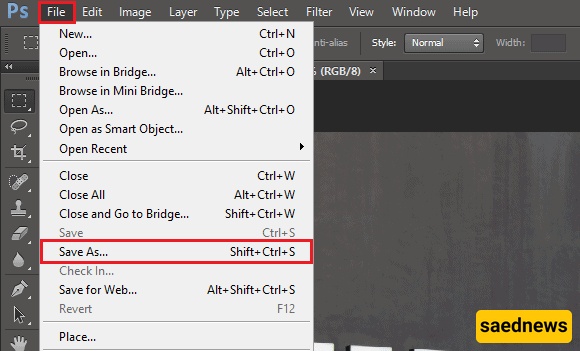
From the top-left menu, select File.
Choose Save As from the available options.
In the new window, select your preferred save location and file format.
Click Save.
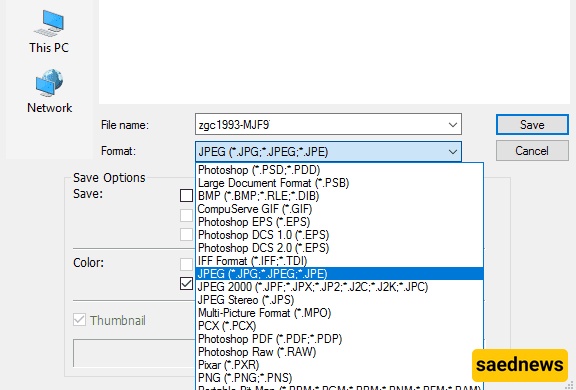
Your image is now saved and ready to share.
The second method gives you more control over how your image is saved, including its dimensions, format, and quality.
From the File menu, select Save for Web.
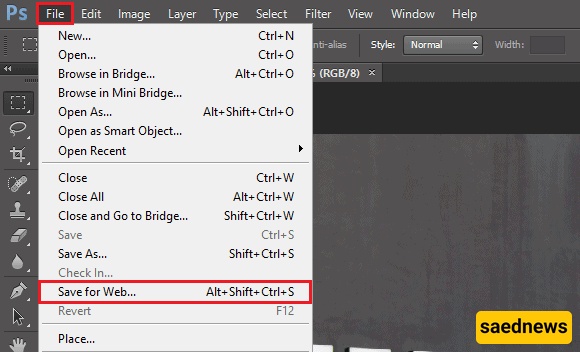
A new window will open, allowing you to adjust settings such as width, height, file format, quality, and more.
After selecting your preferred settings, click Save and choose the desired location.
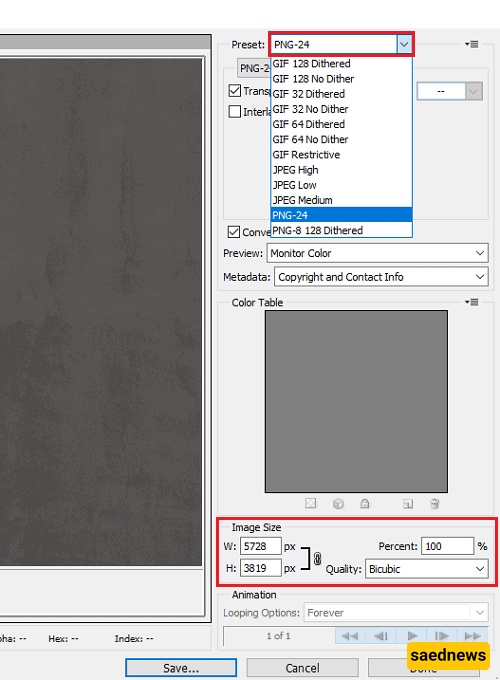
Your image will now be saved with the settings you selected.