SAEDNEWS: How to Delete Your Telegram Account Without a Verification Code or SIM Card Access
According to Saednews, Deleting a Telegram account usually requires receiving a verification code via SMS. However, many users cannot access this code due to issues such as a lost SIM card, a changed phone number, or problems receiving messages. In such cases, users look for alternative methods to delete their Telegram account using their phone number.
It is recommended to use Telegram’s official account deletion link:
https://my.telegram.org/auth/delete
Although there are apps and third-party tools claiming to delete Telegram accounts, it is safer to use Telegram’s official website.
To delete your Telegram account directly via the official link, follow these steps:
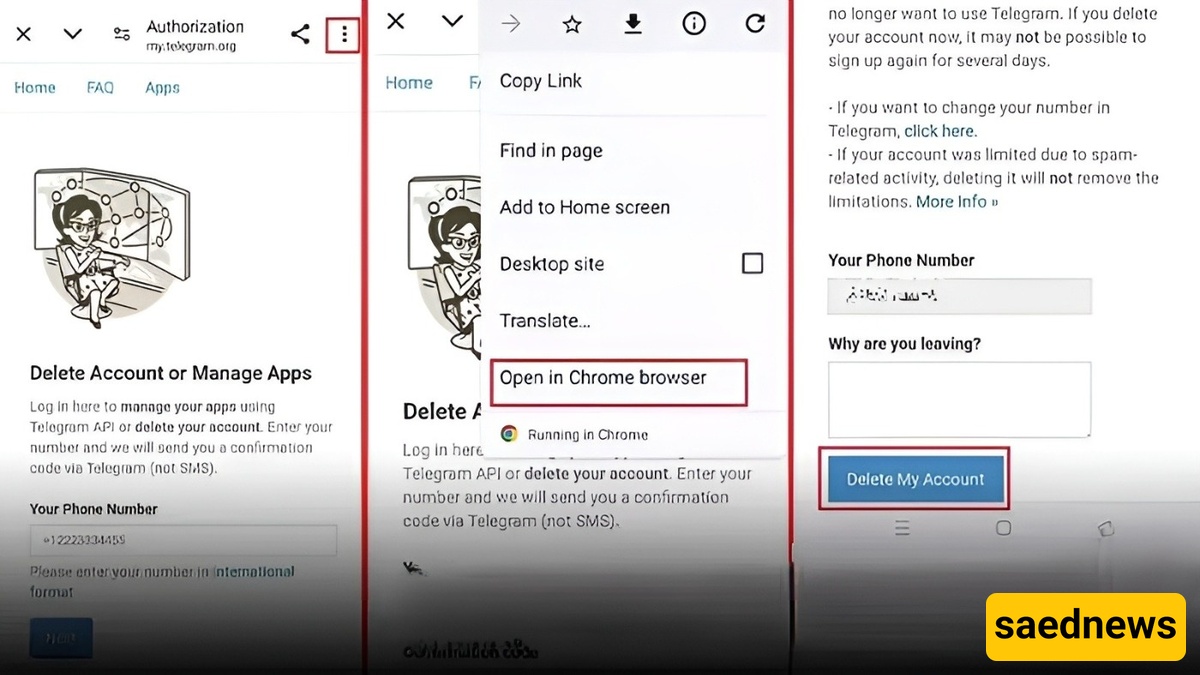
Open a web browser and go to Telegram’s official account deletion page:
https://my.telegram.org/auth/delete
Enter the phone number used to register your Telegram account (including the country code, e.g., +98).
Telegram will send a verification code inside the Telegram app (not via SMS in most cases). If you are not logged into your account, the code may be sent via SMS.
Enter the received verification code on the website and log in.
Click on “Delete My Account”.
If prompted, you may optionally enter a reason for leaving.
Confirm the deletion process to permanently remove your account.
Another way to delete your Telegram account is through the app settings:
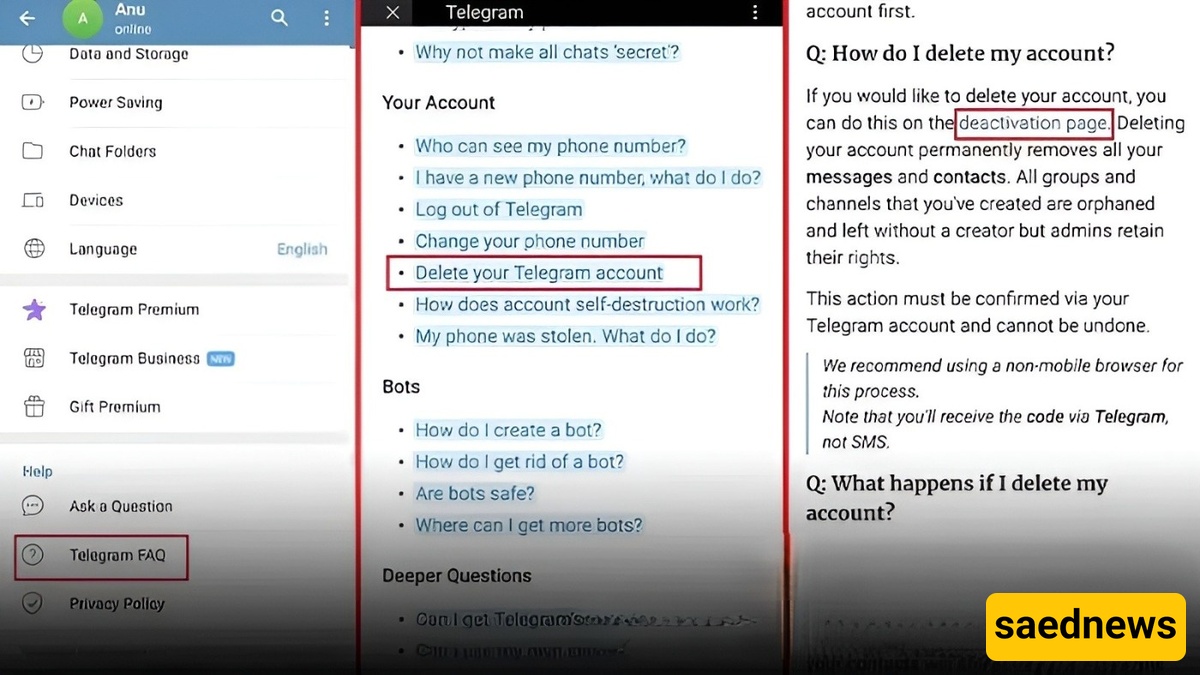
Open the Telegram app on your Android device.
Tap the three-line menu in the top corner.
Go to Settings.
Select Telegram FAQ.
Tap “Delete your Telegram account”.
Open the provided link (deactivation page).
Wait for the deletion page to load (a VPN may be required in some regions).
Enter your registered phone number.
A verification code will be sent to your Telegram app.
Open the menu (three dots) and choose Open in Chrome browser.
Enter the verification code.
Tap Delete My Account.
Confirm by selecting Yes, delete my account to complete the process.
Using Telegram’s official deletion page is the safest and most reliable method. Third-party apps or unofficial tools are not recommended.