SAEDNEWS: Given the growing importance of protecting personal information on smartphones and other electronic devices, the security of their data has become one of the biggest concerns for many users in cyberspace.
According to the Science and Technology Service of Saed News Agency, modern mobile phones store users’ most personal and sensitive information. As a result, unauthorized access to this data can lead to serious issues such as misuse of personal and work emails, bank accounts, private photos, videos, and more.
Contrary to a common misconception, hacking a mobile phone is not impossible. In its simplest form, it can occur easily through the installation of malicious spyware applications. However, there are also effective ways to prevent phone hacking, which are outlined below.
Phishing is one of the techniques used to collect users’ information. Studies show that fake websites designed to provide services often gather account credentials and misuse them or share them with others. Therefore, phishing (also known as credential harvesting or trapping) is one of the most common cyberattacks, capable of stealing sensitive data without much effort.
Most users, aware of basic risks, avoid installing suspicious applications. However, many are not familiar with how to verify the security and authenticity of links. Hackers exploit this weakness by creating fake web pages that closely resemble legitimate ones instead of developing malicious apps.
Spam messages are another method used for remote smartphone hacking. According to experts, Android devices are more vulnerable to this type of attack because much of their data is connected to the user’s Gmail account. This integration makes them a more attractive target for cybercriminals.
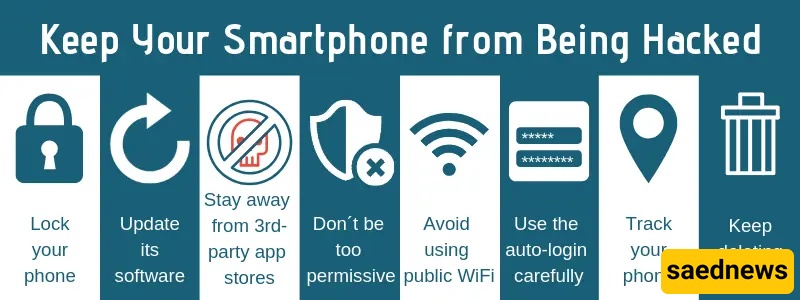
Installing various applications can also increase smartphone vulnerability. All apps downloaded from online stores request specific permissions. Developers are required to clearly state these permissions before publishing their apps.
Carefully reviewing these permissions is an effective way to prevent mobile hacking. For example, it is suspicious for a simple game to request access to your contacts list, as there is no valid reason for such access. By examining installed apps’ permissions, users can quickly identify suspicious behavior and protect their devices.
One of the simplest ways to protect a smartphone against hackers is enabling automatic updates for apps and the operating system. Updates help improve device security by fixing vulnerabilities and strengthening protection.
If a smartphone’s operating system is outdated or weak, the device remains vulnerable to attacks regardless of other security measures.
Despite repeated warnings, users are advised to avoid public Wi-Fi networks, as they are a common target for hackers. In such situations, using mobile data is the safer option.
One of the most important indicators of a compromised device is overheating and reduced battery life. To check unusual battery usage:
On Android: Go to Settings → Battery → More → Battery Usage
On iOS: Go to Settings → Battery to view detailed app battery consumption
Monitoring these statistics can help identify apps that may be running suspicious background activities.