SAEDNEWS: If Windows Defender prevents you from installing an application, you can easily disable Windows Defender through the Windows settings.
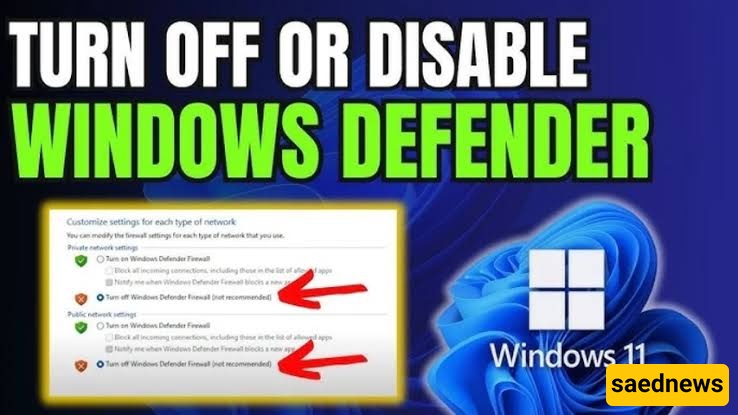
According to Saednews, Microsoft introduced Windows Defender in newer versions of Windows as a built-in security feature that works much like antivirus software. Whenever you try to install a game or application, Windows Defender may scan the file and, in some cases, prevent the installation.
If a trusted application is being blocked, you can temporarily disable real-time protection and try installing it again. Once the installation is complete, it is strongly recommended to turn Windows Defender back on to keep your computer protected.
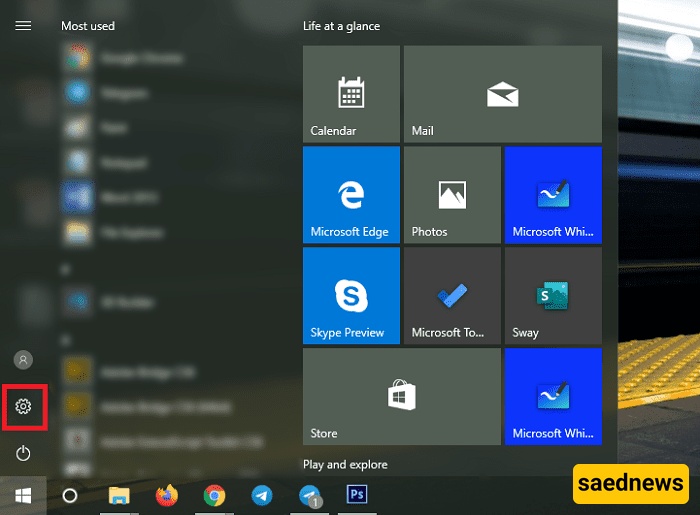
Click the Start button and select Settings.
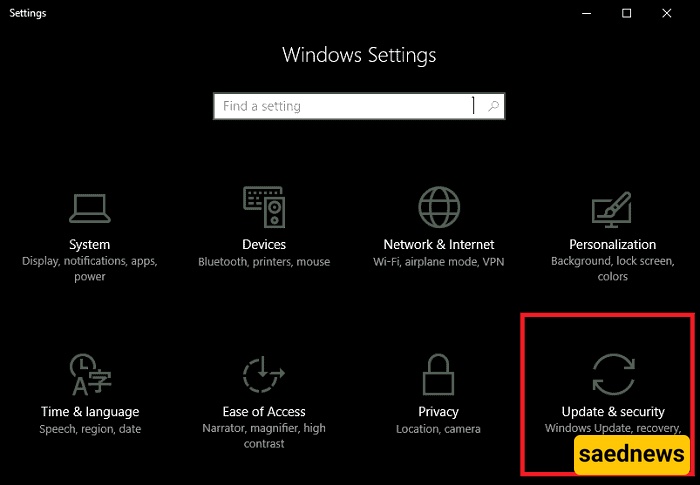
In the Windows Settings window, select Update & Security.
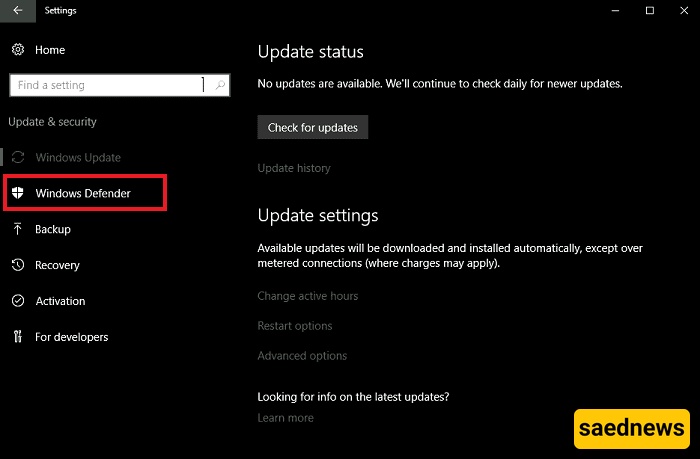
From the menu on the left, select Windows Security or Windows Defender, depending on your Windows version.
Open Virus & threat protection and select Manage settings.
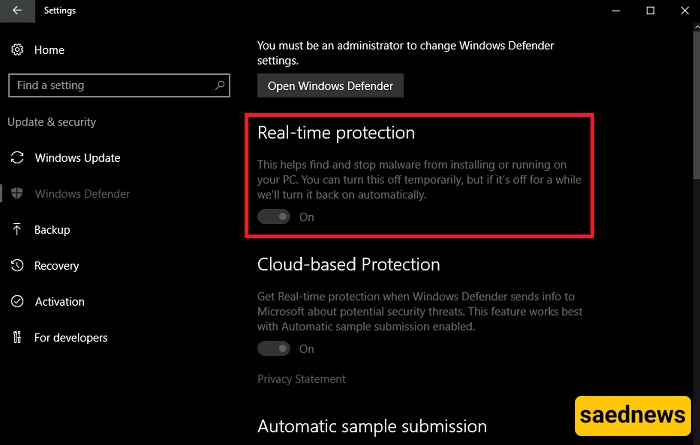
Find Real-time protection and switch it from On to Off.
Windows Defender will now temporarily stop real-time scanning, allowing you to install the application that was previously blocked.
After installing the application, return to the same settings and switch Real-time protection back to On. Keeping this feature enabled helps protect your system against malware and other security threats.
Another way to change Windows Defender settings is by using the Windows Registry. This method should be used carefully because incorrect registry changes can affect Windows.
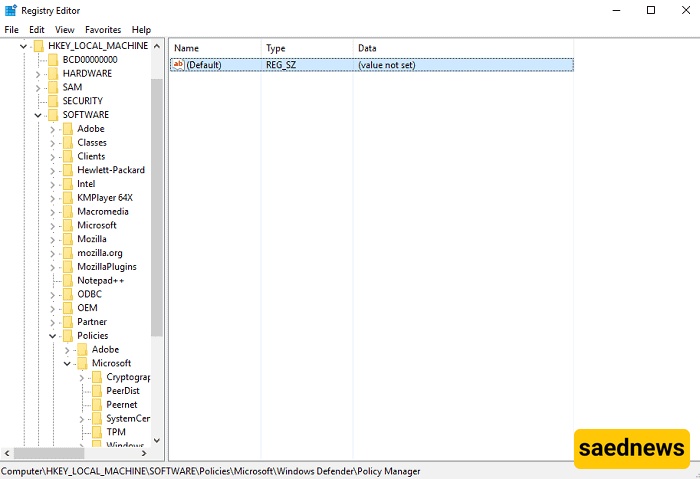
Press Win + R on your keyboard at the same time to open the Run dialog box.
Type regedit and press Enter.
Navigate to the following location:
HKEYLOCALMACHINE > SOFTWARE > Policies > Microsoft > Windows Defender
In the right-hand pane, look for DisableAntiSpyware.
Double-click DisableAntiSpyware and change its value to 1.
Click OK and restart your computer for the change to take effect.
Windows Defender is an important part of Windows security. If you temporarily disable it to install trusted software, make sure to enable your security protection again as soon as possible. Also, avoid disabling antivirus protection simply to install software from an unknown or untrusted source.