SAEDNEWS: Translate complex RPG dialogue with ChatGPT Voice—capture character tones, summarize quests, and make spoiler-free decisions.
According to Saednews, Role-playing games often feature expansive stories, lengthy conversations, and complex fantasy terminology. Sometimes, an unfamiliar phrase or fictional name can bring the gameplay to a halt and make important story decisions difficult to understand.
ChatGPT Voice can act as an assistant alongside the player, helping with everything from quickly translating dialogue to explaining character tones, summarizing conversations, and clarifying quest objectives.
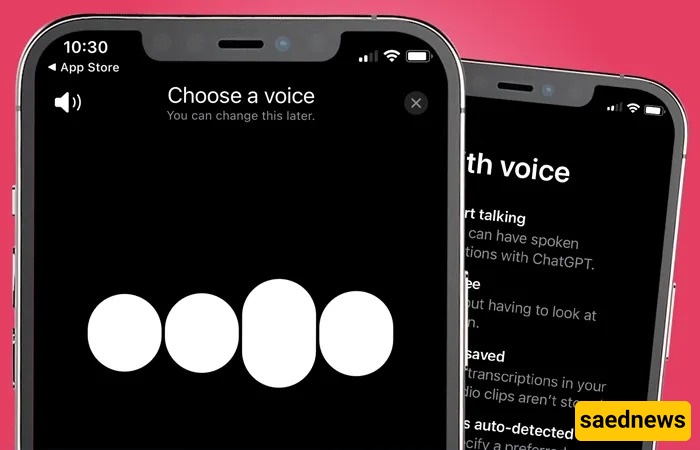
During gameplay, taking your hands off the controller to type is not always convenient. ChatGPT Voice enables a live conversation, allowing players to ask questions verbally and hear the answers.
This feature can be useful for translating game dialogue, explaining unfamiliar words, and getting quick summaries of conversations. Users who need longer voice conversations and additional features may consider upgrading to ChatGPT Plus.
With voice conversation, communication takes place continuously and in real time. You can ask a new question while the model is responding or change the direction of the conversation.
With voice typing, your voice is first recorded and converted into text. The resulting text is then sent to ChatGPT like a regular message. This makes it different from a live voice conversation.
No. ChatGPT does not directly connect to the game's audio or your system's audio output. Dialogue recognition takes place through the microphone on your phone, computer, or headset.
Gunfire, music, environmental effects, and multiple characters speaking at the same time can reduce recognition accuracy. For better translations, read the subtitle or the sentence you want translated aloud to the model as clearly as possible.
The app needs permission to use your microphone in order to hear you. Check your operating system's privacy settings and make sure ChatGPT has microphone access.
If you experience microphone problems with ChatGPT, temporarily close other voice-recording or calling applications to prevent interference.
In ChatGPT's language settings, select the option that best suits your needs. Choosing a suitable voice can make it easier to hear ChatGPT's explanations while fighting enemies or moving through the game world.
Short and specific prompts generally produce more useful responses. When using ChatGPT for game dialogue translation, ask the model to focus only on the sentence or conversation it has heard.
For a quick game dialogue translation, you can say:
“Translate this dialogue into natural English and preserve the character's tone.”
This is useful when you need an immediate translation in the middle of combat or while choosing a story-related response.
In historical and fantasy games, a literal translation does not always convey the actual meaning of a word. Ask ChatGPT to provide the English equivalent while also explaining the word's role and its context within the story.
Dialogue in story-driven games is more than a collection of words. Sarcasm, threats, humor, and hidden emotions can all be important parts of a character's meaning.
ChatGPT can analyze the tone of dialogue and explain whether a character appears to be joking, being sarcastic, or making a serious threat. For more accurate results, provide a few preceding lines or briefly describe the situation.
Providing the model with a brief background about the characters can help it explain why they are behaving in a friendly, cautious, or aggressive way. This can be particularly useful for understanding complicated relationships in role-playing games.
Choosing the wrong dialogue option can sometimes change the direction of a story. ChatGPT can explain what different options mean and how their tones differ without necessarily revealing the ending.
If you are unsure which response to choose, ask the model to compare the options based on whether they sound friendly, neutral, or aggressive. This can help you understand the type of response your character is giving.
To avoid story spoilers, don't ask directly about the exact outcome of a choice. Instead, ask what feeling each option might create in the other character or what impression it might give of your character.
Some side conversations can be lengthy, and reading every line may take considerable time. ChatGPT can summarize a conversation so you can quickly understand its main purpose.
To quickly understand a quest and translate its objective, use a prompt such as:
“Based only on this conversation, tell me what the character wants from me, where I need to go, and what restrictions I have.”
To reduce guessing, tell the model that its answer must be based only on the words it heard. This limitation can reduce the chance of fabricated information or inaccurate details being added to the summary.
To evaluate the system's performance, a 30-second dialogue from a role-playing game was tested. The results showed that response quality depends on audio clarity, background noise, and the initial instructions given to the model.
Word recognition: 3/5 — Performance decreases in noisy gaming environments.
English translation quality: 5/5 — The translation was assessed as fluent and accurate.
Character tone recognition: 4/5 — Sarcasm and anger were generally identified correctly.
Term explanations: 4/5 — The model can explain the roots and meanings of fictional terms.
Spoiler avoidance: 3/5 — Results depend on the initial prompt and the limitations provided.
Response speed: 4/5 — Fast enough for use during gameplay with relatively low delay.
Fictional names may not appear in common dictionaries and can therefore be recognized incorrectly. Pronounce fantasy names clearly or enter their spelling manually when necessary.
Explosions, background music, and environmental sounds can cause Voice Mode recognition errors. In these situations, pause the game and read the subtitle text aloud to ChatGPT clearly.
If the model fills gaps using guesses or general knowledge, spoilers may become more likely. Include a clear instruction in your prompt that the response must be based only on the dialogue you provide and must not reveal future events.
Yes. ChatGPT Voice can be a helpful tool for players who struggle with the game's language, fantasy terminology, or complex conversations.
It is not a complete replacement for subtitles or language knowledge, but it can be useful for AI-assisted game translation, tone analysis, quest summaries, and understanding story choices. The clearer the audio input and the more precise the instructions, the more useful ChatGPT can be during RPG gameplay.