SAEDNEWS: Increased traffic is valuable only when your website is ready. Check speed, hosting resources, server capacity, and performance before peak days to prevent slowdowns, errors, and lost visitors.

According to Saednews, Increasing website traffic is valuable only when your infrastructure can handle a larger number of users. If speed, hosting resources, and server capacity are not evaluated in advance, a sudden increase in traffic can lead to slow loading times, errors, or even temporary downtime. For this reason, it is better to assess your website’s technical readiness before launching campaigns or entering high-traffic periods.
Every visitor who accesses a website sends requests to the server to load pages, images, database information, and other website components. As the number of simultaneous users increases, the volume of these requests also grows, putting greater pressure on CPU, RAM, and other server resources.
If the hosting resources are not aligned with the website’s traffic levels, requests take longer to process and page loading speeds decrease. During periods of heavy traffic, this pressure can even result in errors or temporary website downtime. Therefore, infrastructure capacity should be planned according to the expected growth in traffic.

Before expecting higher traffic, it is important to evaluate your website’s page loading speed. Large images, inadequate caching, slow database queries, and excessive use of plugins can all increase loading times. Optimizing these elements reduces pressure on the infrastructure and helps the website maintain stable performance when more users visit at the same time.
Hosting resources are equally important. Even a well-optimized website can become slow during peak hours if it runs on infrastructure with limited capacity. Regularly monitoring website speed and resource usage can help identify and resolve potential issues before traffic increases.
Hosting resources should be selected based on traffic volume, content type, and user activity. Sufficient CPU and RAM help maintain stable performance when the number of requests increases, while adequate storage is important for website files, images, and data.
Server location can also affect access speed, particularly when most of your audience is located within the same country. In such cases, choosing local hosting can help reduce latency and improve the user experience. Instead of choosing resources that are significantly above or below your actual requirements, monitor your website’s resource usage and select a service that allows you to upgrade resources as your website grows.
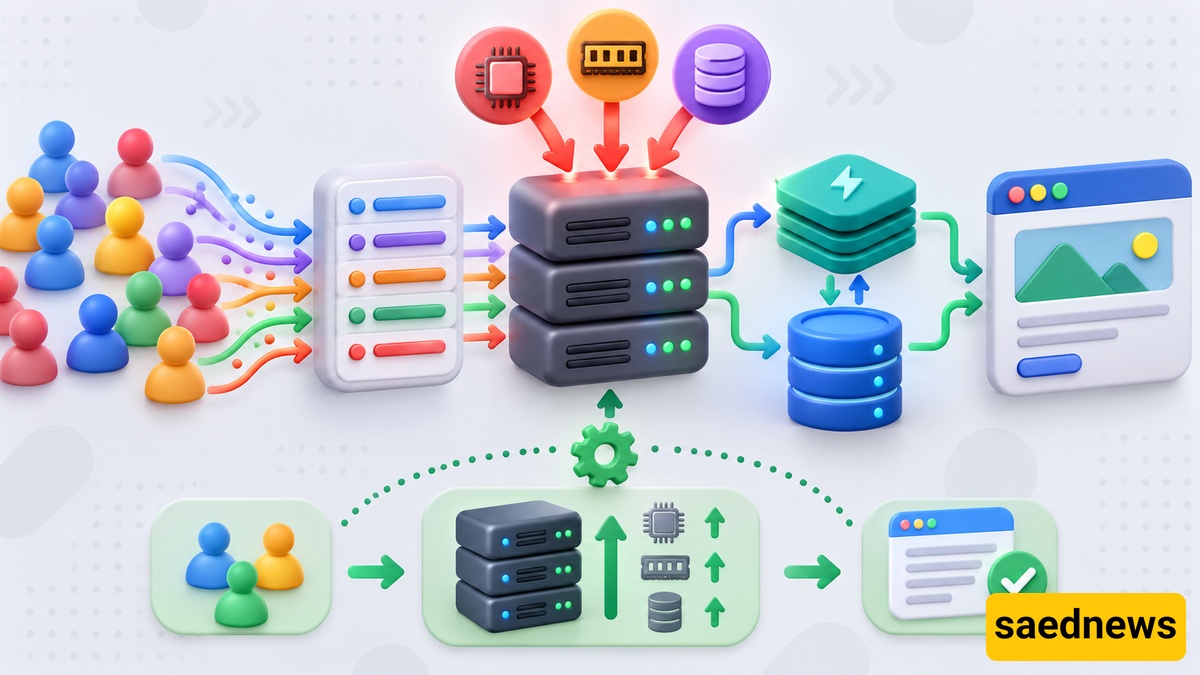
Sudden traffic increases commonly occur during advertising campaigns, the publication of highly popular content, special promotions, or major product launches. If the website infrastructure is not prepared for these situations, a sudden increase in concurrent users can cause slowdowns, errors, or even temporary downtime.
Before such events, review resource capacity, database performance, and the website’s response times. For websites that consistently receive high volumes of traffic, high-traffic hosting can be a more suitable option. Having the ability to quickly upgrade resources can also help the website continue serving users without a noticeable decline in performance.
If your website is consistently slow, displays errors during peak traffic periods, or frequently reaches CPU and RAM limits, your current resources may no longer be sufficient.
Longer page loading times, difficulties processing requests, and the need for greater control over server configurations can also indicate that it is time to consider a different infrastructure setup. In these situations, a virtual private server can provide more controllable resources and greater flexibility as the website grows.
Before migrating, review resource usage patterns and peak traffic hours. This helps you choose a new service based on your website’s actual requirements and avoid unnecessary costs.
Before launching an advertising campaign, special sale, or any event that could significantly increase website traffic, test how the website performs under heavy load. Load testing can help determine how much traffic the current server and resources can handle.
At the same time, monitor page loading speeds, CPU and RAM usage, and database performance. Creating a backup of important data is also essential before entering a high-traffic period. These simple checks can reveal potential problems before users arrive and reduce the risk of slowdowns or service disruptions.
Increased traffic contributes to website growth only when the underlying infrastructure is prepared to handle it. Website speed, resource usage, hosting capacity, and performance under heavy traffic should all be evaluated before launching campaigns or expecting a surge in visitors.
Waiting until the website is already busy to identify infrastructure problems can increase the risk of slow loading times, errors, downtime, and lost users. Preparing in advance allows your website to handle traffic growth more reliably and deliver a better experience to visitors.