SAEDNEWS: In this article, we compare 60Hz and 144Hz monitors, answer all your questions, and help you determine whether upgrading to 144Hz is the right choice for your needs.
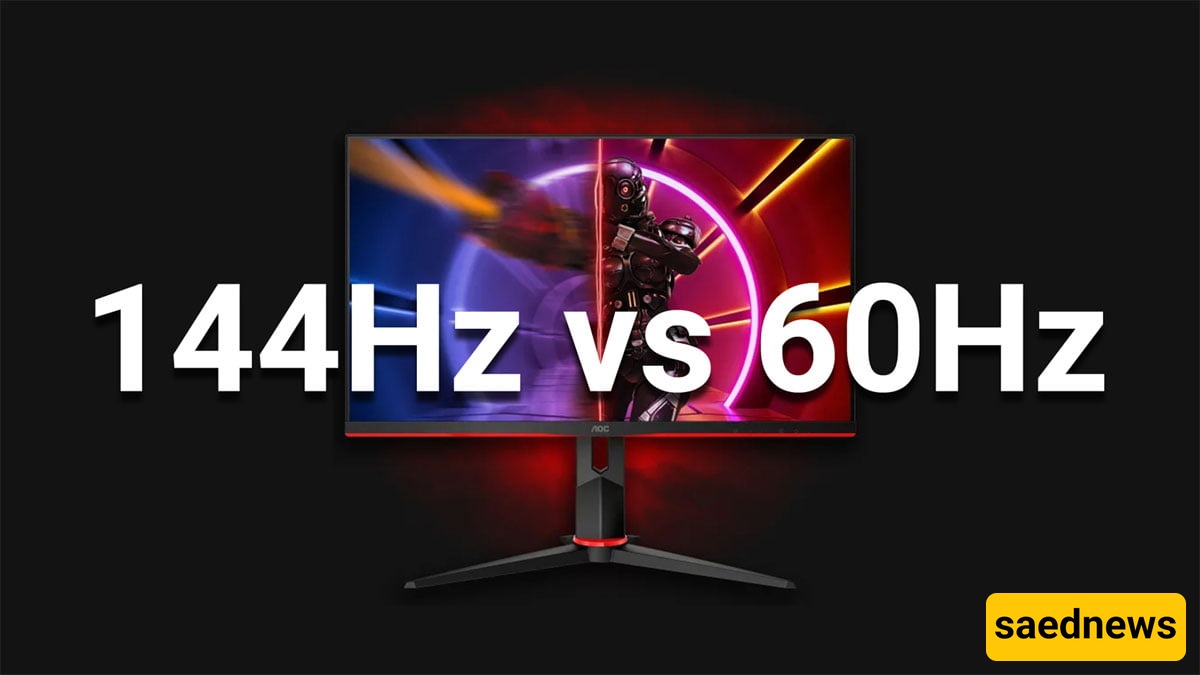
According to Saednews, Are you considering upgrading your 60Hz monitor to a 144Hz model? The difference in refresh rate may not seem significant on paper, but it can have a noticeable impact on your gaming and viewing experience.
In this guide, we compare 60Hz and 144Hz monitors, explain the key differences, answer common questions, and help you determine whether upgrading to 144Hz is worthwhile for your needs.
Hertz (Hz) is the unit used to measure cycles per second. In display technology, refresh rate refers to the number of times a monitor refreshes the image on the screen each second.
Refresh rate is an important aspect of display technology because it directly affects how smooth and responsive visual content appears. A higher refresh rate allows a monitor to display more frames per second, making movement appear smoother and more fluid.
A 60Hz refresh rate has long been the standard for most displays. It means that the monitor refreshes the image up to 60 times per second.
For everyday tasks such as web browsing, watching movies, working with documents, and general computer use, 60Hz is usually sufficient. However, a 60Hz monitor can become limiting when dealing with fast-moving content, particularly gaming and video editing.
At 60Hz, rapidly moving objects may appear less smooth, and users may notice motion blur or screen tearing, especially when the frame rate and refresh rate are not properly synchronized.
A higher refresh rate, such as 144Hz, can significantly improve the visual experience, particularly in applications that involve fast movement.
A 144Hz monitor can refresh the image up to 144 times per second, resulting in a noticeably smoother and more responsive experience. This is especially beneficial for gamers because it can reduce the perception of motion blur and screen tearing while making fast movements easier to follow.
For competitive gaming, the additional smoothness can also make camera movement, aiming, and tracking fast-moving targets feel more responsive.
The most obvious difference between 60Hz and 144Hz is smoothness.
A 60Hz monitor can display up to 60 frames per second, while a 144Hz monitor can display up to 144 frames per second when the system is capable of producing that frame rate. In other words, a 144Hz display can present more than twice as many frames in the same amount of time.
This difference becomes particularly noticeable with fast-moving content, such as action movies, sports, and video games. Higher refresh rates can make motion appear smoother and reduce the distracting effects of screen tearing.
Imagine watching a fast-paced sports match or action sequence on a 60Hz monitor and then viewing the same content on a 144Hz display. With 60Hz, rapid camera movements may appear less fluid, while a 144Hz display can provide a noticeably smoother presentation.
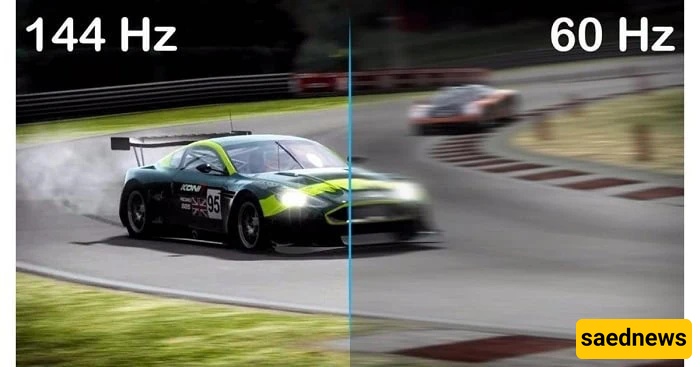
Motion blur is common in fast-moving content, where objects can appear blurred as they move across the screen. A higher refresh rate can help make motion appear clearer by displaying more frequent updates.
As a result, a 144Hz monitor generally provides a smoother motion experience than a 60Hz monitor, making it particularly attractive for fast-paced games and other motion-heavy content.
A 60Hz monitor remains a practical choice for general-purpose computing, including web browsing, office work, streaming, and casual gaming. These displays are often more affordable, although pricing varies depending on screen size, resolution, panel technology, and other features.
A 144Hz monitor, on the other hand, is aimed more toward users who value smooth motion and responsiveness, particularly competitive gamers and people working with fast-moving visual content. While 144Hz models can cost more, the additional performance may justify the investment for users who can take advantage of the higher refresh rate.
Monitors generally have a longer upgrade cycle than components such as graphics cards and processors. A quality monitor can potentially remain useful for many years, depending on how it is used and how display technology evolves.
Because of this, choosing a 144Hz monitor can be a worthwhile long-term investment, particularly if you plan to keep your display for several years.
For gamers and content creators, a 144Hz monitor can offer meaningful benefits in terms of responsiveness and visual smoothness.
The higher refresh rate can make gameplay feel more fluid and responsive, while technologies such as variable refresh rate (VRR), when supported, can further reduce visible tearing and improve the overall experience.
For gaming, however, the benefits of 144Hz depend partly on your computer's ability to produce sufficiently high frame rates. If your hardware consistently produces only around 60 FPS, you will not be able to take full advantage of a 144Hz display.
Resolution is another important consideration. Modern monitors are available in resolutions such as QHD and 4K, but higher resolution typically requires more graphics processing power, especially when combined with high refresh rates.
For basic office work, web browsing, streaming, and casual computer use, upgrading from 60Hz to 144Hz is not essential.
For gaming—especially competitive and fast-paced games—the upgrade can be much more noticeable. The smoother motion and improved responsiveness can make a 144Hz monitor a significant step up from a traditional 60Hz display.
Ultimately, the decision depends on your budget, hardware, preferred games, resolution requirements, and how much you value smooth motion. If your PC can consistently deliver high frame rates and you spend a lot of time gaming, moving from 60Hz to 144Hz is generally a worthwhile upgrade.