SAEDNEWS: If, for any reason, you decide to turn off Windows Firewall, this article explains how to disable it in Windows 7, Windows 8, and Windows 10.

According to Saednews, The Windows Firewall is an important built-in security feature that helps protect your computer. Its main function is to monitor and filter information entering your system through the internet and block programs or connections that may pose a security risk, including malware.
However, there may be times when the firewall prevents a trusted program from running or installing properly. If a program is incorrectly identified as potentially harmful, you may need to temporarily disable the firewall to complete your task. This article explains how to disable the Windows Firewall in different versions of Windows.
The steps for disabling the firewall in Windows 10, Windows 8, and Windows 8.1 are very similar. Follow these steps:
Open the Start Menu, search for Control Panel, and open it.
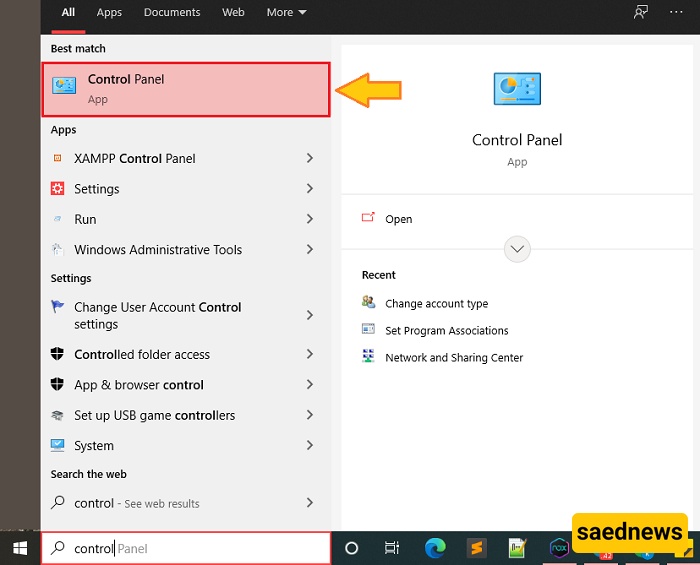
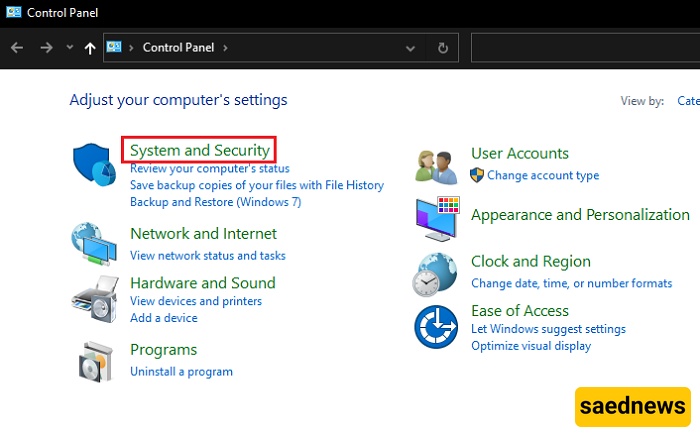
In the Control Panel, select System and Security.
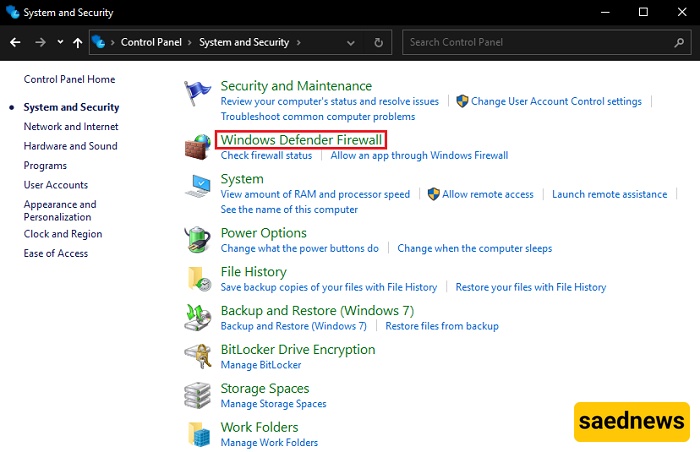
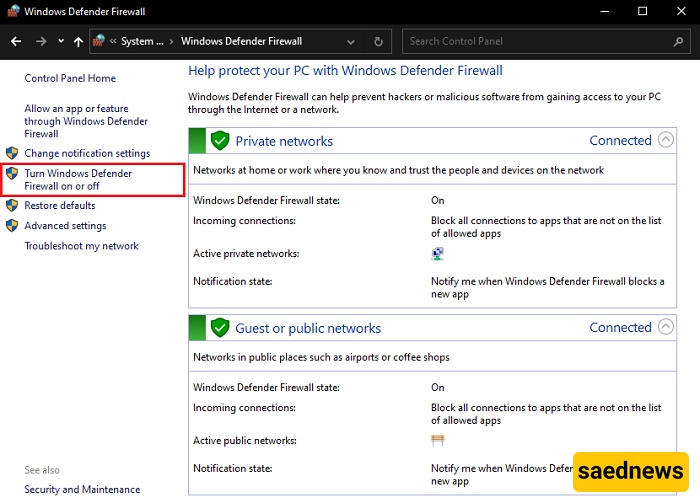
Click Windows Defender Firewall.
From the menu on the left, select Turn Windows Defender Firewall on or off.
Choose Turn off Windows Defender Firewall for the network settings you want to disable.
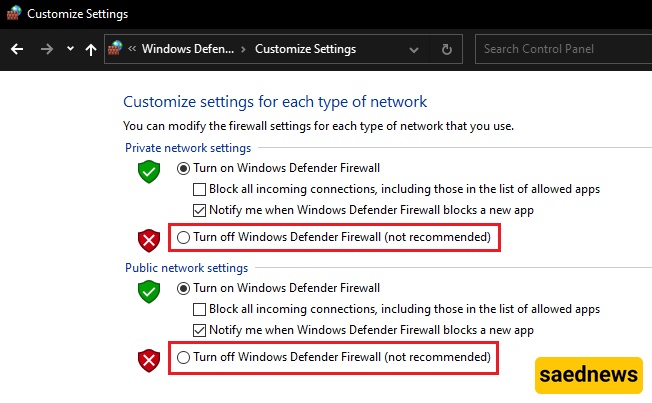
Your Windows Firewall is now disabled.
Important: Disabling the firewall can make your computer more vulnerable to malware and unauthorized access. Once you have finished the task that required the firewall to be turned off, enable it again immediately.
If you are using Windows 7, the process is slightly different but remains straightforward:
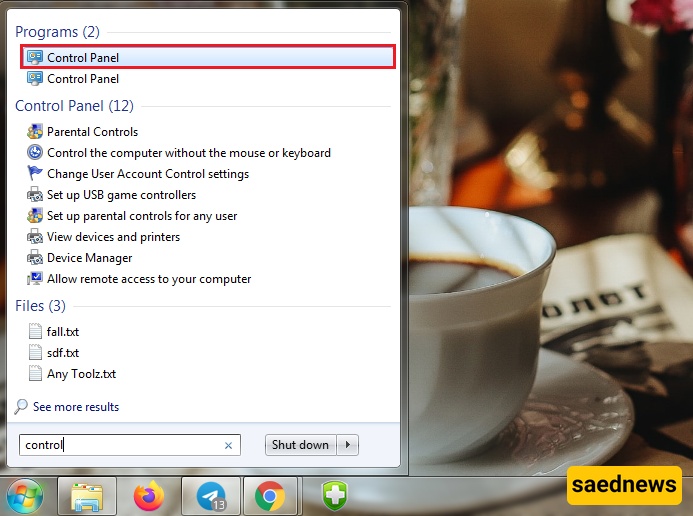
Open the Start Menu, search for Control Panel, and open it.
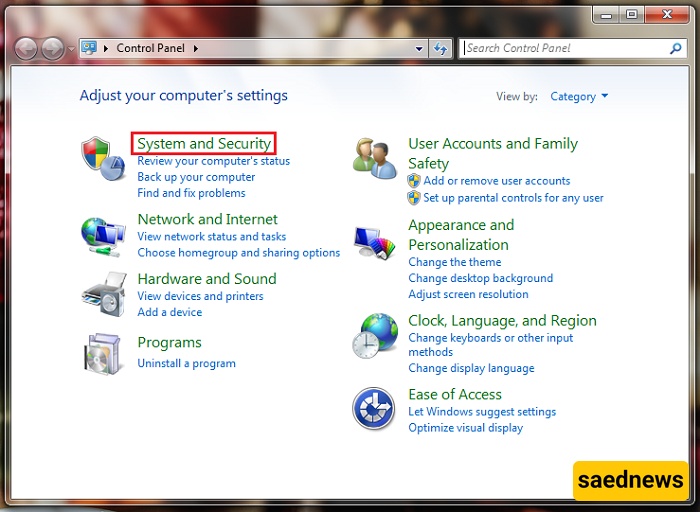
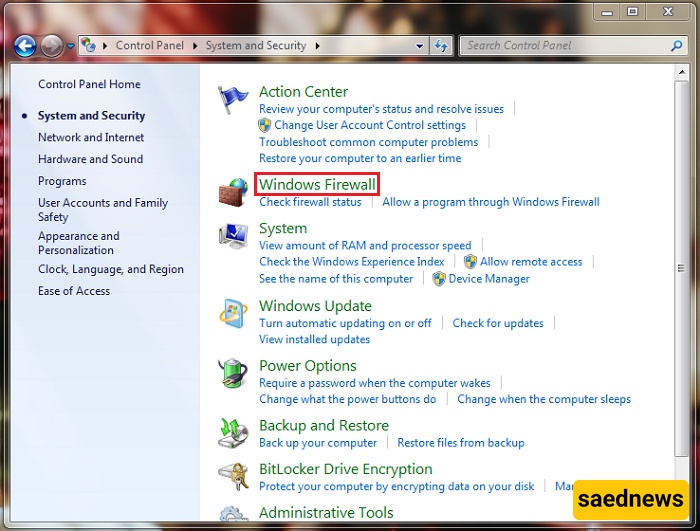
Select System and Security.
Click Windows Firewall.
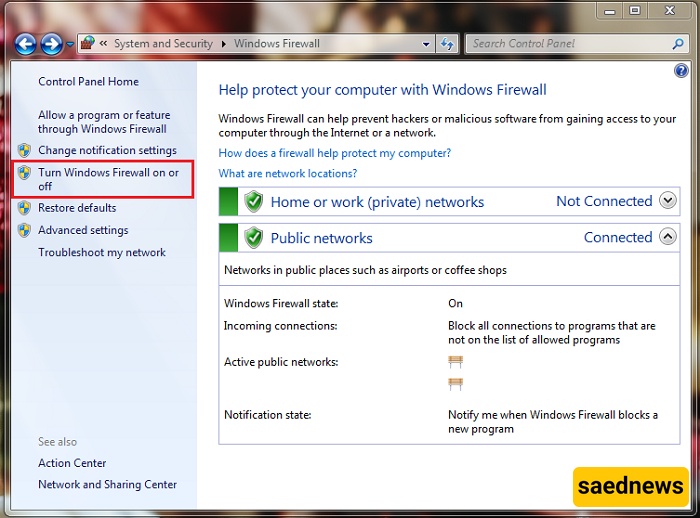
From the menu on the left, select Turn Windows Firewall on or off.
Choose the option to Turn off Windows Firewall.
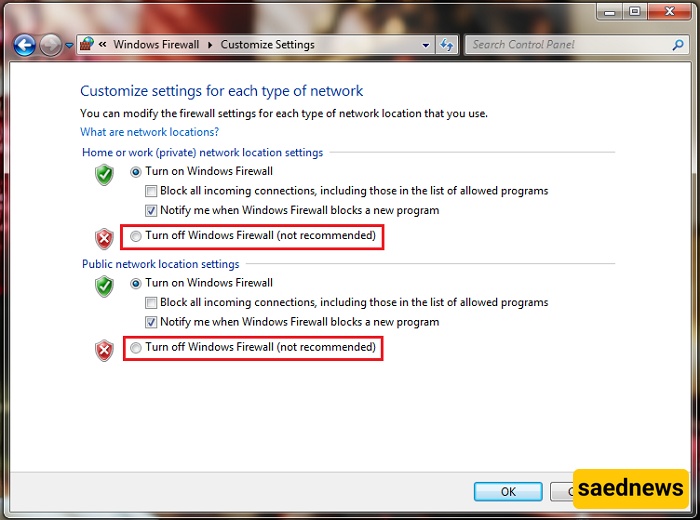
Your Windows 7 Firewall is now disabled.
For security reasons, you should turn the firewall back on as soon as you have completed your task. Keeping the firewall enabled helps protect your computer against unwanted connections, malware, and other security threats.