SAEDNEWS: Gmail is one of the most widely used tools, and the issue of it being hacked is disturbing for all of us. In this report, you will learn about ways to prevent Gmail hacking.
According to Saednews, Gmail is one of the free and highly useful services provided by Google. Over the years, it has maintained a special place among users. Despite the rise of various social networks, Gmail is still widely used. Although it may not seem more advanced than newer tools, it is highly secure and can be used with peace of mind.
However, one of the long-standing concerns for users has been the fear of Gmail account hacking. Even though an email account may seem simple, it holds valuable personal information that no one wants to lose or have misused by malicious individuals.
In the past, many inexperienced and professional users in cyberspace were able to access other people’s Gmail accounts using online tutorials and then sell them at very low prices. This issue existed when Gmail did not have strong security infrastructure, and almost anyone could access an account with just a few clicks.
Fortunately, Google has significantly improved Gmail security in recent years. Today, hacking Gmail is very difficult unless the user neglects basic security measures. Google now provides several tools that allow users to strengthen their account security and prevent unauthorized access. Below are the most important methods to protect your Gmail account.
The first step to accessing a Gmail account is entering the username and password. If your password is simple—such as short numbers or predictable patterns—it becomes easier to hack.
A strong password should include:
At least 8 characters (longer is better)
A mix of uppercase and lowercase letters
Numbers
Special characters such as ! - @ - # - $ - % - ^ - & - *
Using a complex password significantly reduces the risk of hacking.
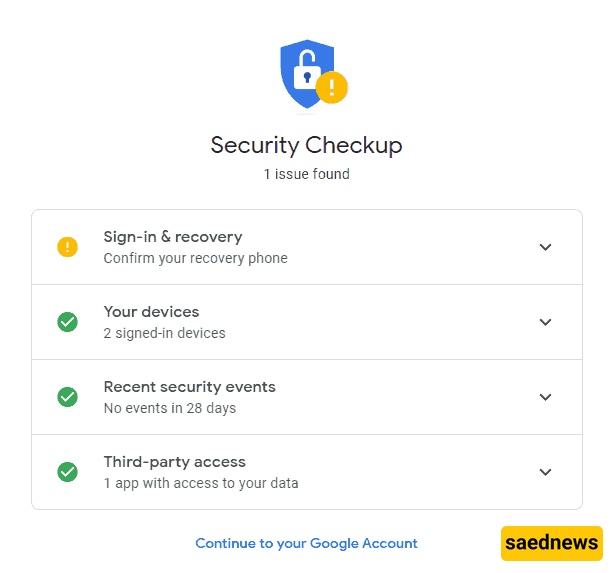
Google provides built-in tools to detect and resolve security problems in your account.
To check security issues:
Log in to your Gmail account
Click your profile icon (top right) and select Manage your Google Account
Go to the Security section from the left menu
Select Security issues found
Review any warnings (usually marked with a yellow icon)
Fix the identified problems
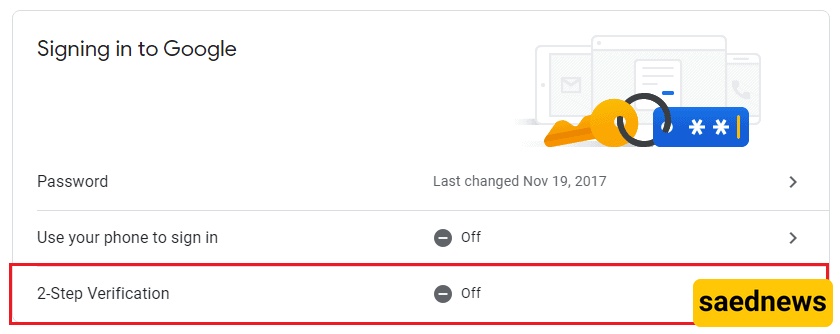
Two-step verification adds an extra layer of security. After entering your password, you must also enter a second code that only you can access.
To activate it:
Open your Google Account
Go to Security
Find Signing in to Google
Select 2-Step Verification
Click Get Started and follow the setup process
This feature greatly reduces the risk of unauthorized access.
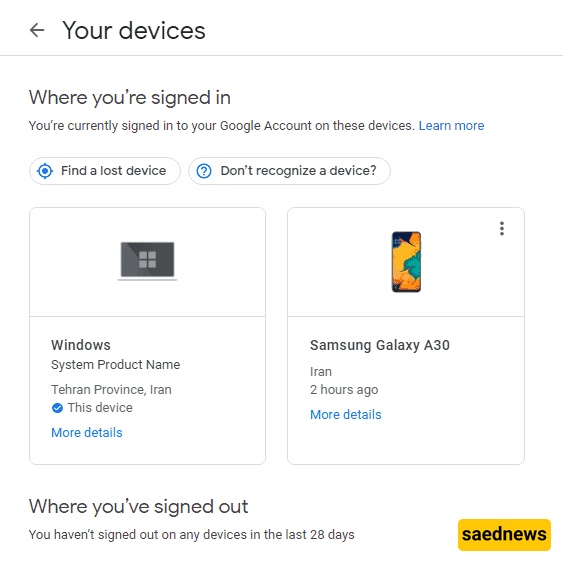
You should regularly review devices that are logged into your Gmail account. If you find an unfamiliar device, you can remove its access immediately.
To check devices:
Open your Google Account
Go to Security
Scroll to Your Devices
Review all connected devices
Remove unknown devices by selecting Sign out
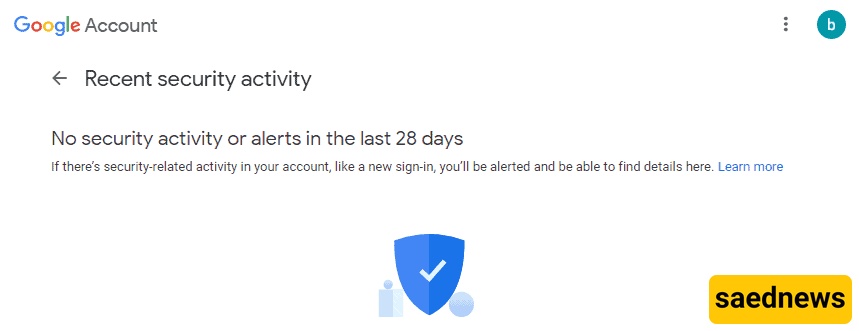
Gmail allows you to see recent login attempts and security activity from the past 28 days.
To check:
Go to your Google Account
Select Security
Scroll to Recent security activity
Review any suspicious attempts or logins
This helps you quickly detect unauthorized access attempts.
Be cautious of messages or offers claiming they can hack Gmail, Instagram, or WhatsApp. These are usually scams designed to steal money or trap users. With modern security systems, breaking into secure platforms is extremely difficult. The best protection is to follow proper security practices and avoid falling into fraudulent schemes.