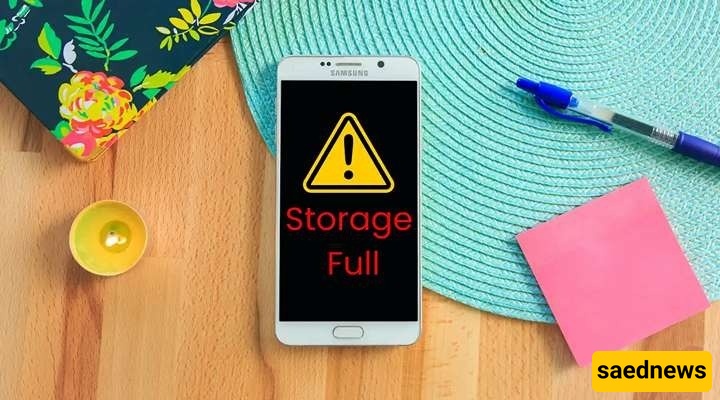
SAEDNEWS: Sometimes, you haven’t installed any new apps, and you haven’t even taken any photos or videos, yet you are still surprised to see a message saying your phone storage is full. What is the reason?

According to Saednews, The available storage on your phone seems to keep shrinking, as if something is secretly occupying its space. You are not alone—this is a very common issue for many smartphone users. In this article, we explain why it happens.

Filling up phone storage is not necessarily caused only by installing many new applications. Smartphones are constantly generating and storing data. Even during normal daily use, information is saved in the background. For example, when you send a photo or watch a video, or use an app, new data is added to your device.
Many files are added without you noticing, gradually occupying storage space, such as:
Cache data
Temporary files
System logs
App-stored data

There are several hidden factors behind storage consumption. Below are the main reasons and how they affect your device.
Some apps store temporary data to run faster and more smoothly. Over time, these files accumulate and take up significant space, especially in frequently used apps like social networks or browsers.
Apps that commonly contribute to storage usage include:
Web browsers
Messaging apps
Everyday utility apps
Even if you don’t take many photos yourself, images and videos from messaging apps can still fill your storage. Many apps automatically download and save media files.
Main causes include:
Automatic download of images and videos in apps
Media viewed or received in messaging platforms
High-quality media files consuming more space
Backup files are essential for protecting your data, but if not managed properly, they can consume a large amount of storage. Sometimes multiple backup versions of the same app are stored on your phone.
Common examples include:
WhatsApp backups
System backups
Incomplete cloud synchronization files
When you update your apps or operating system, installation files are downloaded. Some of these files may remain on the device after the update is completed, occupying storage space.
Examples include:
Installation files
Remaining update data
Larger sizes of newer versions
Some files are stored in system folders that are not easily accessible to users. Over time, they can take up significant space.
These include:
System folders
Residual files from deleted apps
Log files generated by the operating system and apps

If you want to free up space quickly, consider the following methods:
Clear cache: Deleting cache files frees up space without removing important personal data and improves performance.
Check the downloads folder: Remove unused PDFs, images, videos, and installation files.
Disable auto-download: Many apps download media automatically. Turning this off (or limiting it to Wi-Fi) helps prevent unexpected storage usage.
For better long-term storage management:
Use cloud storage: Services like Google Drive or iCloud help store photos, videos, and files externally.
Delete unused apps: Remove apps you haven’t used in months to free up space and improve performance.
Choose higher storage devices: When buying a new phone, consider higher storage capacity to avoid future issues as apps and media grow in size.

Sometimes storage issues may indicate a deeper problem:
Low-storage devices: Phones with limited storage may fill up quickly even with normal use.
Rapid filling after cleanup: If storage fills up again quickly after cleaning, system or background data may be excessive.
Performance issues: Slow performance, lag, or freezing alongside storage problems may indicate system overload.
Phone storage filling up is often caused by simple and manageable factors such as cache, media files, backups, and system data. However, these issues can sometimes be temporary solutions and require ongoing maintenance.
In some cases, users may eventually consider upgrading to a higher-capacity phone to better match their needs.