SAEDNEWS: Keep your personal photos out of your main iPhone gallery using the Hide Photos feature, and enhance your hidden album’s security with Face ID.
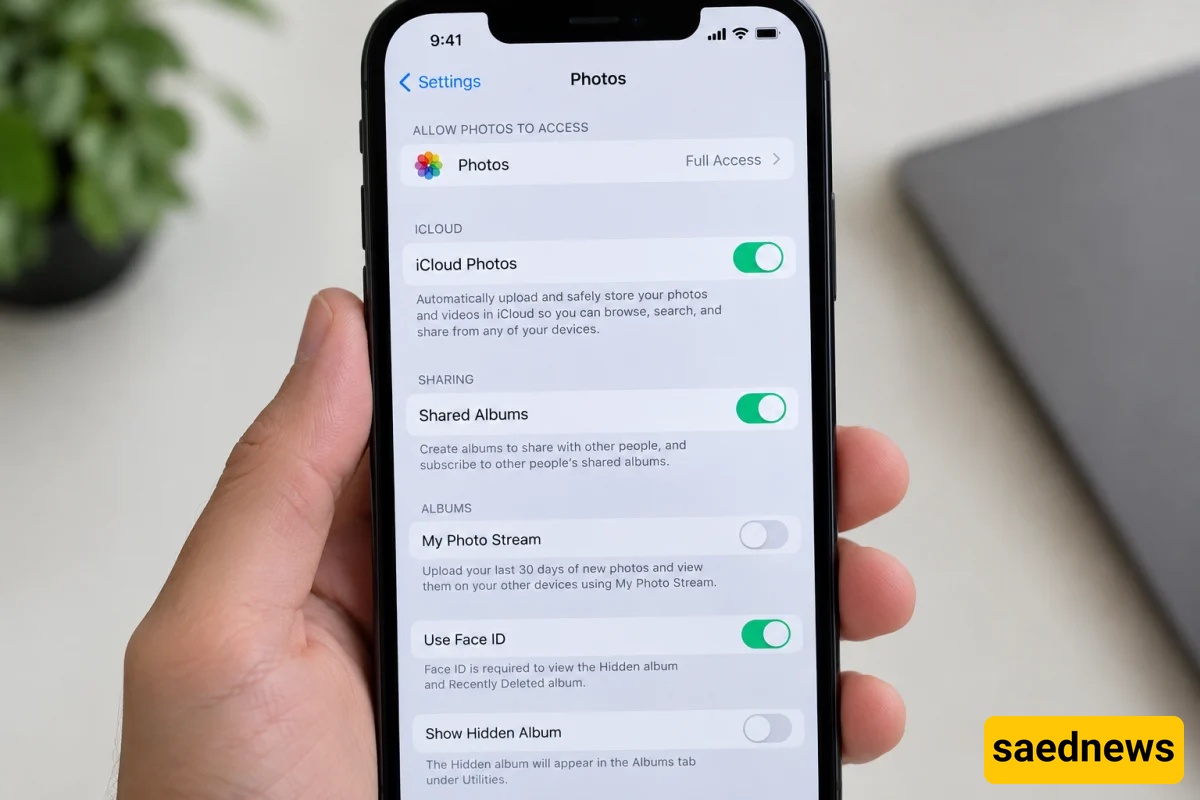
According to Saednews, If you want to keep your personal photos private on your iPhone, you can use the built-in Hide Photos feature and protect the Hidden album with Face ID. This prevents selected images from appearing in your main photo library.
Open the Photos app on your iPhone.
Select the photo or photos you want to hide.
Tap the three-dot menu or press and hold the photo.
Select Hide and confirm your choice.
Once you complete these steps, the selected photos will be removed from your main photo library and moved to the Hidden album.
To improve photo privacy, open your iPhone's settings and navigate to Settings > Apps > Photos. On compatible iOS versions, enable Use Face ID. On older versions, Photos settings may be located directly on the main Settings page.
From now on, authentication will be required to open the Hidden album.
Important Note: Hiding photos does not delete them. If the Face ID lock option is unavailable in your settings, check your iOS version and device settings.