SAEDNEWS: Proper cleaning of fans and cooling devices before use helps remove accumulated dust and improves their performance during warm seasons.
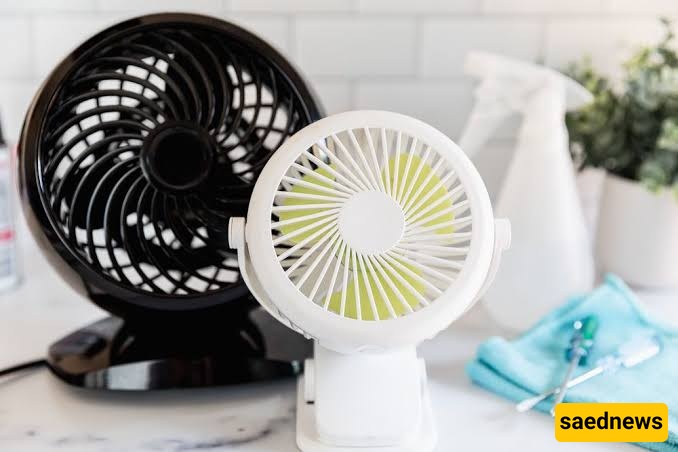
According to SAEDNEWS, fans and other cooling devices can collect dust, dirt, and small particles during months of storage. Cleaning them before turning them on again helps maintain better airflow, reduces the spread of dust around the room, and allows the device to work more efficiently.
When a fan remains unused for a long time, dust can settle on the blades, protective grills, and internal parts. As the device operates, this dust may become airborne and circulate throughout the room. Regular cleaning also allows users to check whether any parts are loose, damaged, or in need of maintenance before regular use.
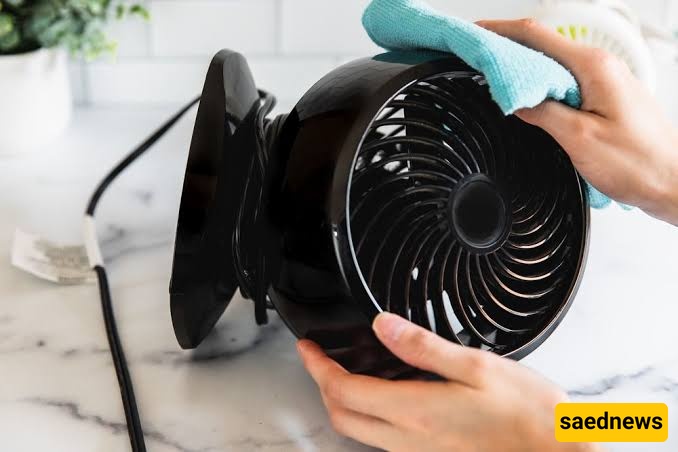
Disconnect the power
Always unplug the fan or cooling device before cleaning. This reduces the risk of accidental operation and makes the cleaning process safer.
Remove detachable parts
If possible, carefully remove the front grill, back cover, or other removable components according to the manufacturer’s instructions.
Clean the blades and covers
Use a soft cloth or brush to remove dust from the blades and protective covers. For heavier dirt, a slightly damp cloth can be used, but avoid allowing water to reach electrical components.
Clean hard-to-reach areas
Dust can accumulate around buttons, vents, and narrow spaces. A soft brush or dry cloth can help clean these areas without damaging the device.
Dry everything before reassembly
Make sure all cleaned parts are completely dry before putting them back together and connecting the device to electricity.
Some cleaning habits can damage cooling devices or reduce their lifespan. Avoid these mistakes:
• Using excessive water near electrical parts
• Cleaning the device while it is still connected to power
• Using harsh chemicals that may damage plastic surfaces
• Forcing removable parts if they do not come off easily
• Ignoring unusual sounds or signs of damage after cleaning
The same general approach can be applied to many household cooling devices. Air vents, portable coolers, and similar appliances may also need dust removal from accessible surfaces and filters according to their specific instructions.
Filters, when present, should be checked regularly because clogged filters can restrict airflow. Following the care recommendations provided by the manufacturer is the safest way to maintain these devices.
Before using a fan or cooling appliance after storage, check:
• Whether the power cord is in good condition
• Whether the blades move normally
• Whether screws and covers are properly secured
• Whether the device produces unusual noise or vibration
A few minutes of careful cleaning and inspection can help prepare cooling devices for comfortable and safer use throughout warmer days.