SAEDNEWS: Most browsers enable cookies by default. If you are using a public computer, we strongly recommend not allowing them to store any of your personal information.

According to Saed News and Net Nevesht:
Although third-party cookies or tracking cookies are sometimes blocked to prevent advertising, they actually help websites function more smoothly by storing information such as usernames, passwords, and user preferences. While antivirus software may sometimes label them as malicious, cookies are simply small files used to store website data.
Step 1: Open Chrome and click the three vertical dots in the top-right corner.
Step 2: Go to Settings, scroll down, and click Advanced.
Step 3: In the “Privacy and security” section, click “Content settings.”
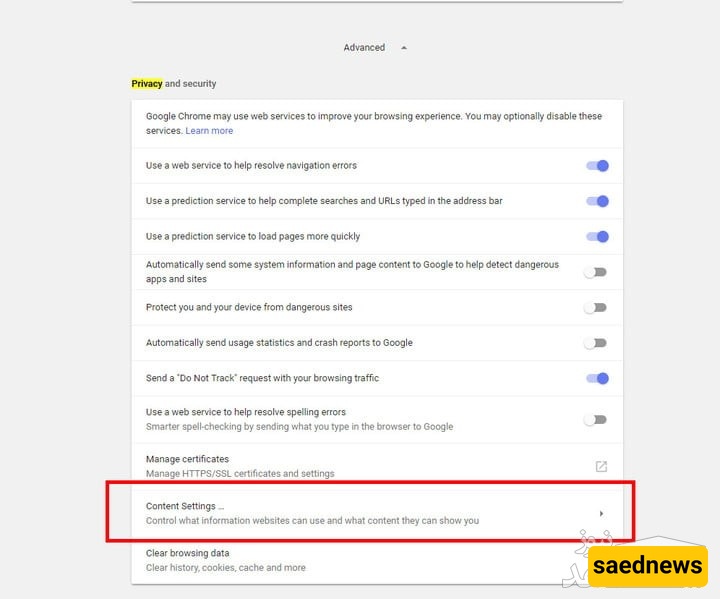
Step 4: Click “Cookies” and enable “Allow sites to save and read cookie data.”
You can also block specific websites if you do not want them to use cookies.
Step 1: Click the three horizontal lines in the top-right corner and select Options.
Step 2: Go to “Privacy and Security” on the left.
Step 3: Under “History,” choose “Use custom settings for history.”
Step 4: Check “Accept cookies from websites.”
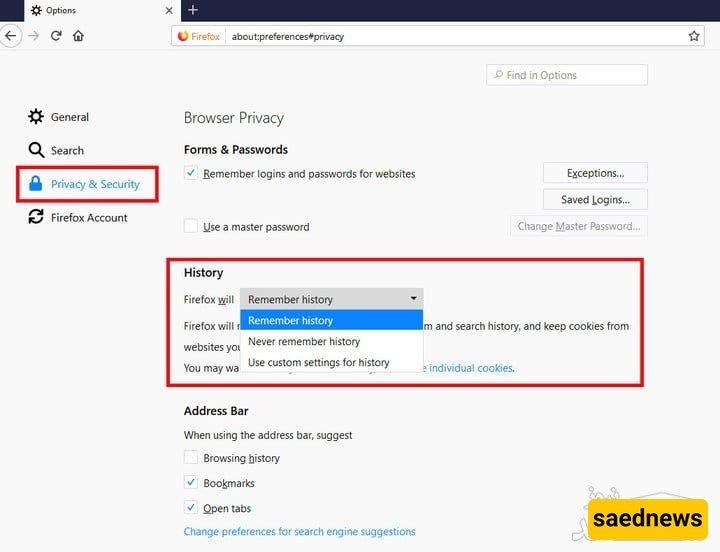
You can adjust settings to block or manage third-party cookies as needed.
Step 1: Open Edge and click the three-dot menu in the top-right corner.
Step 2: Click Settings.
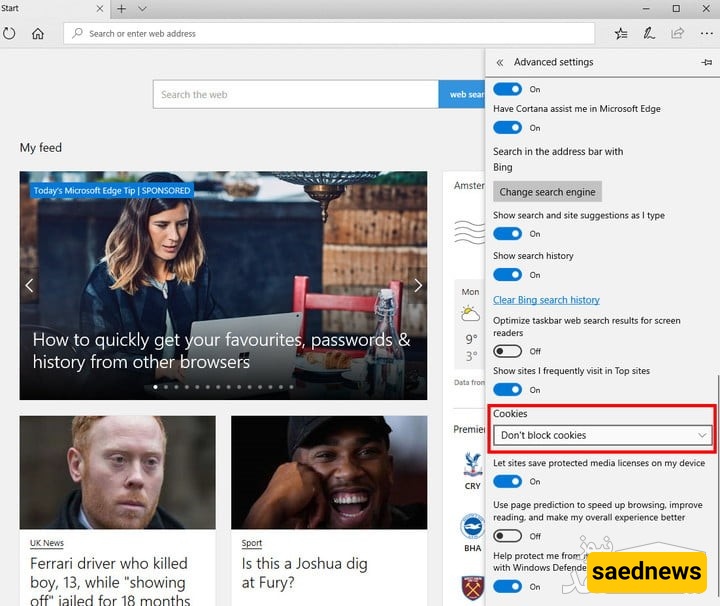
Step 3: Go to Advanced Settings.
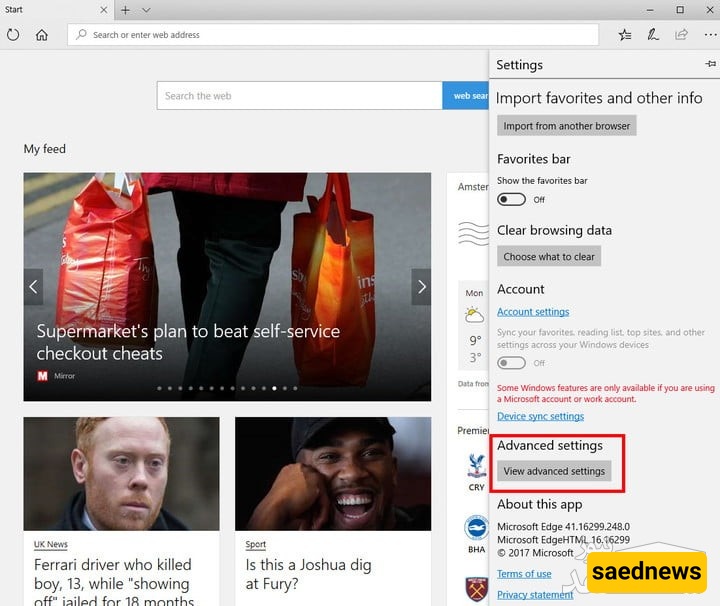
Step 4: In the Cookies section, select “Don’t block cookies.”
Step 1: Open Safari and click the Safari menu in the top-left corner.
Step 2: Go to Preferences and open the Privacy tab.
Step 3: Under “Cookies and website data,” ensure “Always allow” is enabled.
To allow third-party cookies, choose “Allow from websites I visit.”
Step 1: Click the menu icon in the top-right corner.

Step 2: Scroll down and select “Go to browser settings.”
Step 3: Click “Privacy and security.”
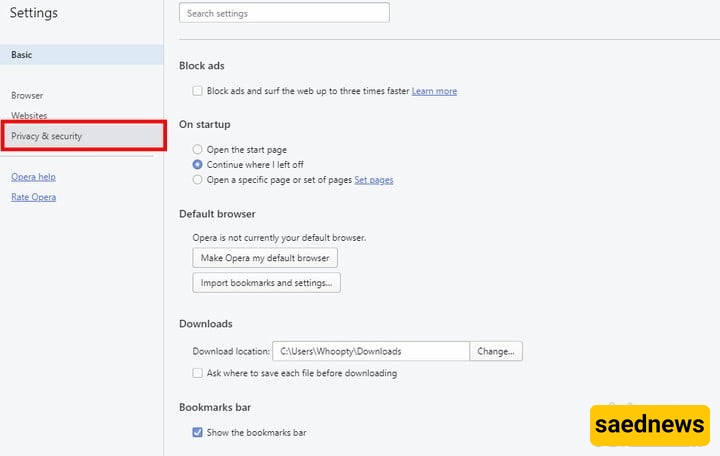
Step 4: Under Cookies, choose “Allow local data to be set.”
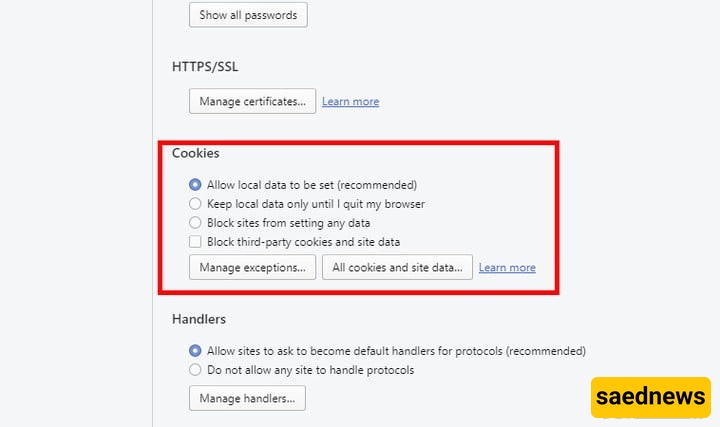
You can also configure additional options such as keeping cookies only until you exit the browser, allowing third-party cookies, or managing site-specific permissions.