SAEDNEWS: If you have a WebP file and haven’t been able to solve the issue using different methods, this article will show you how to convert WebP images to PNG and JPG formats.
According to Saednews, WebP is an image format commonly used by Google and websites to provide high-quality images with smaller file sizes. However, you may sometimes face compatibility issues when downloading WebP images, as they are saved with the .webp extension instead of the more widely supported PNG or JPG formats. Although WebP files can usually be opened directly in a web browser, you may need to convert them for use in other applications.
Fortunately, you can easily convert WebP images to PNG or JPG using online conversion tools.
Follow these steps:
Open an online WebP-to-PNG converter, such as Online Convert.
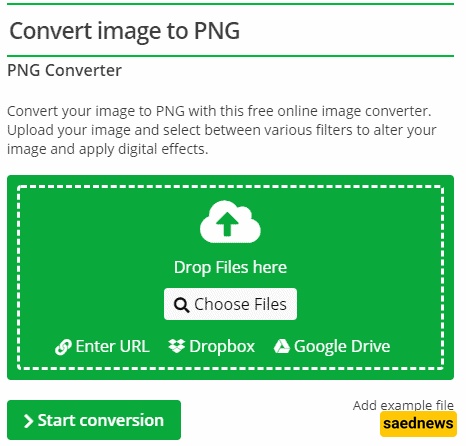
Upload your WebP image using one of the available options:
Choose a file from your device.
Enter an image URL.
Upload from Dropbox.
Upload from Google Drive.
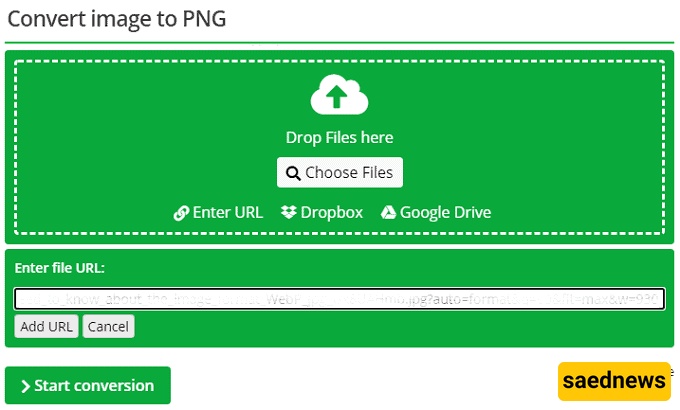
After selecting the image, click Start Conversion.
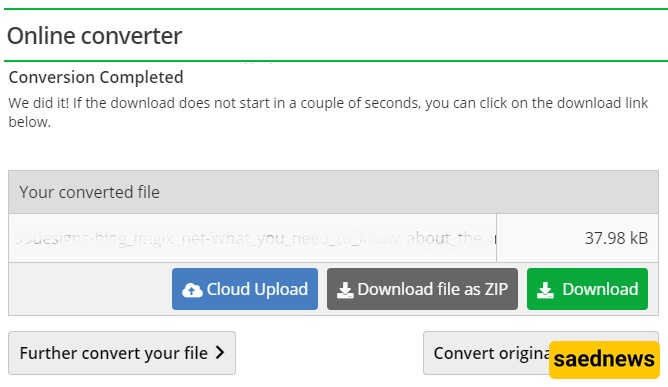
Wait a few moments for the conversion to finish.
Download the converted PNG file.
Converting a WebP image to JPG follows a similar process:
Open a WebP-to-JPG converter.
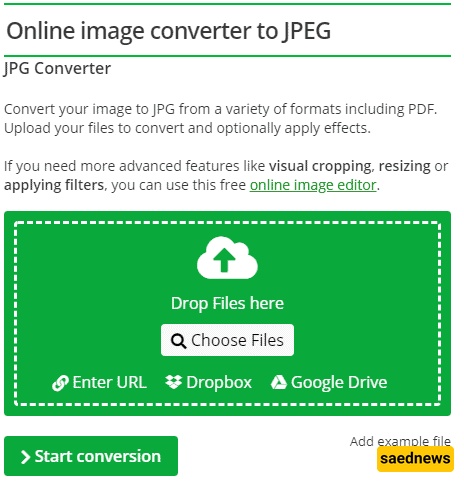
Select or upload your WebP image.
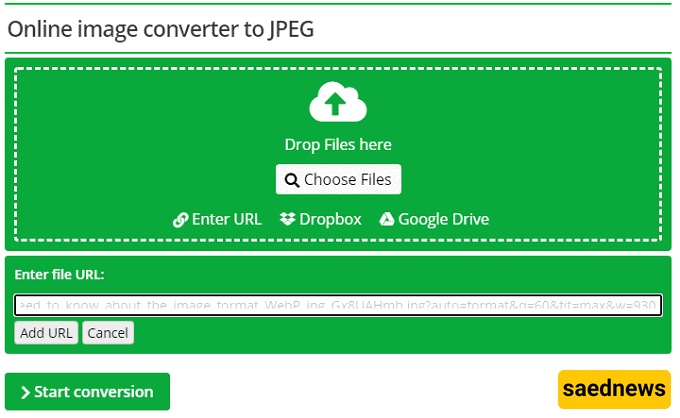
Click Start Conversion.
Wait for the conversion process to complete.
Download your JPG file.
You can now easily convert WebP images into PNG or JPG formats for better compatibility with different devices, software, and platforms.