SAEDNEWS: If you are looking for a complete and comprehensive tool for converting image formats, in this report from the Namnak Technology section you will get acquainted with an online image format conversion tool.
According to Saednews, Sometimes, for various reasons, we may download one or more images whose formats are not suitable for our work. As a result, we face problems and are forced to download several software programs from the internet and install them one by one until we find a suitable application. This process can definitely take hours, and in the end, our time is wasted on unnecessary tasks, leaving us unable to handle our daily activities.
However, as you know, the internet is a platform full of online tools that can complete your tasks in the shortest possible time. At the same time, the number of these tools is very large, and if we want to try them one by one, it will definitely take a lot of time. Therefore, in this technology report, we intend to introduce the best online tool for converting image formats into other formats so that you can convert image files without any delay. Stay with us.
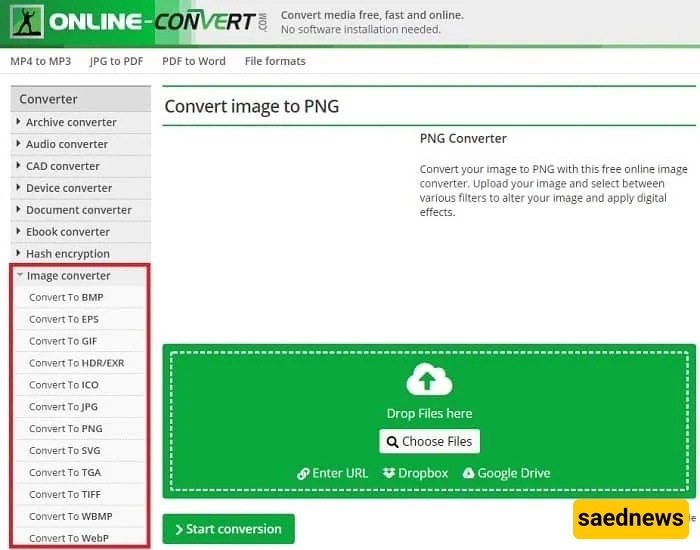
Unlike other websites that introduce several online tools, we have decided to introduce only one tool that has no drawbacks and imposes no limitations whenever you want to use it. The tool we are referring to is Online Convert, which is a completely free tool and does not require any payment or subscription.
Online Convert is a multifunctional website, one of whose main features is converting image formats from one type to another. Some of the formats it supports include:
BMP
EPS
GIF
HDR/EXR
ICO
JPG
PNG
SVG
TGA
TIFF
WBMP
WebP
To convert image formats, simply go to the Online Convert website.
Using the Online Convert website is very simple and easy, and you can quickly learn how it works within a few minutes. On the left menu of the website, its tools are listed. By selecting the desired tool, you will enter the file upload section.
You can upload your files by clicking on Choose Files.
If you already have the file address, you do not need to download and upload it. You can directly paste the URL into the website and convert it. After uploading and selecting your files, click on Start conversion.
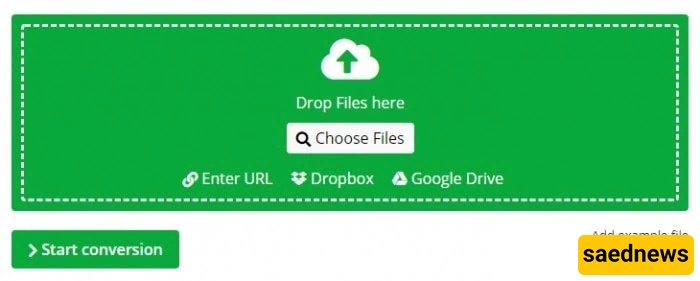
Note that if you are converting a single file, it will automatically be downloaded to your device after conversion. However, if you are converting multiple files, you will need to download them one by one manually.