SAEDNEWS: If you’re experiencing Wi-Fi signal issues and haven’t been able to fix them yet, this report introduces practical methods to boost your Wi-Fi coverage.
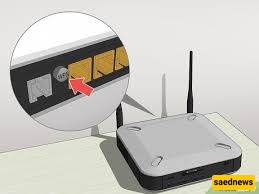
One of the problems that many of us may face is weak Wi-Fi signal, which can sometimes occur with single-antenna or dual-antenna modems in large homes. What starts as a simple issue can turn into a significant problem. If we identify the three main factors involved in this issue, they are:
The Wi-Fi modem
The Internet service provider (ISP)
The device connected to the Wi-Fi
Fortunately, there are ways to address this problem, and with some routine steps, you can significantly improve Wi-Fi signal strength. Below are practical methods to enhance Wi-Fi performance:
The first step to improve Wi-Fi coverage is to change the modem’s position. For example, if your home has four rooms spaced several meters apart, and you mainly spend time in two of them while the other two rooms have little Wi-Fi usage, it makes sense to place the modem closer to the rooms that are used most. This simple adjustment can significantly improve signal coverage.
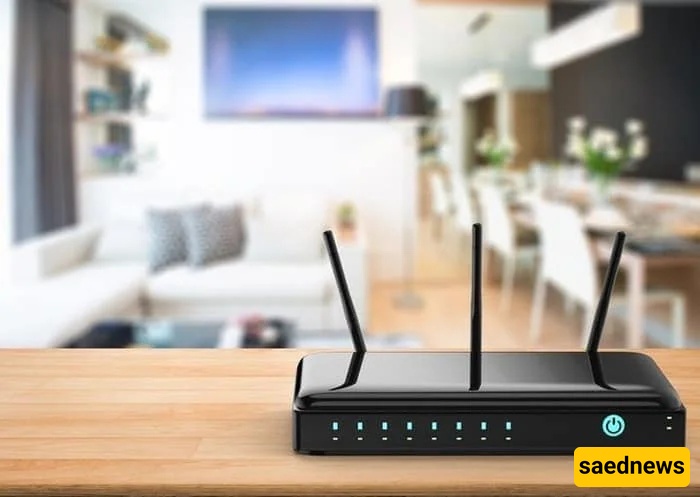
Sometimes, simply turning the modem off and on can resolve signal issues. If you’ve been using the modem for a long time, it may experience temporary problems. Turn it off, wait 10–20 minutes, then turn it back on. This often resolves the issue, but if it persists, proceed to other methods.
Each modem has its own software that should be updated regularly. If the firmware is outdated, Wi-Fi signal issues can arise. Check the Admin panel for updates and install them when available to ensure optimal performance.

If the above methods don’t resolve the problem, the issue may not be the modem but your ISP. Contact your service provider, explain the problem, and ask them to investigate. Resolution time may vary from a few minutes to 24 hours.
Different plans offer varying speeds and data limits. If your current plan is slow, consider upgrading your subscription to achieve better Wi-Fi performance. Online plan changes are often possible without visiting a service center.

Viruses can cause slow internet speeds and weak Wi-Fi signal even if your modem and ISP are functioning properly. Use antivirus software to scan your device and remove any malicious files. After scanning, restart your device to complete the process.
For a stronger and more stable connection, consider using a wired (Ethernet) connection. This allows a single device to utilize the full bandwidth, which is useful when immediate high-speed access is needed.
Browsers store cached data that can sometimes cause connectivity issues. If you experience slow performance on one browser, try using a different one. For example, if you use Chrome, try Firefox or another browser to access websites.
Software updates for phones, tablets, or computers often include bug fixes, including Wi-Fi-related issues. Ensure your device is updated to the latest version to resolve potential connectivity problems.

If none of the above methods work and your ISP confirms no issues on their end, your modem may be outdated. Consider purchasing a newer router to ensure better Wi-Fi coverage for several years.